Badge Printing
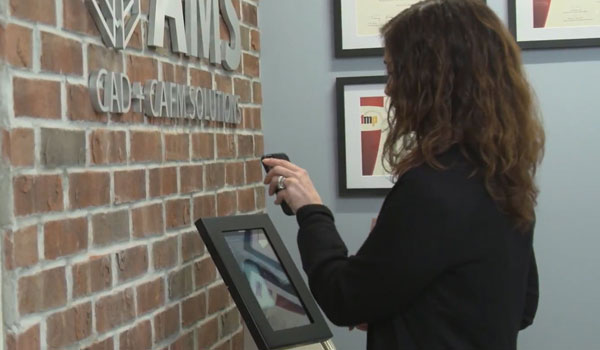
As part of the visitor check-in process, the solution can optionally print a badge. AMS supports both paper and plastic badge printing using Bluetooth, Wi-Fi-enabled printers, and Evolis badge printers via the Evolis SDK. Badges can be printed in grayscale or color on plastic cards and customized with a company’s logo, design elements, and useful information such as Wi-Fi credentials, escort requirements, and emergency contacts. A photo capture option is also available for inclusion on the badge.
More details on what this solution offers:
In OpenBlue Workplace
- Pre-Registration through OpenBlue Workplace
- Visitor Types Including Employees, Contractors and Dependents
- Prerequisites for Visitors
- Tracking parking information for visitors
- Support for a visitor’s Personally Identifiable Information
- Visitor Hosts with option for unescorted visitors
- Approving/Rejecting Pre-Registrations
- Individual Employee view of pending and past visitors
- Overall breakdown of past, rejected and restricted visitors
- Modifying Existing Pre-Registrations
- Bulk-Upload for Visitors with template included
- Categorizing visitors by event
- Exportable standard reporting on visitors by day, type, event, and location
- Custom reporting on visitors
- Single registration for consecutive days of visiting
- Automated Emails to Visitors and Hosts
- Visitor Status Monitoring
- Visitor Check-out
In Our App Solution
- Kiosk App for Registration, Check-in and Check-out
- App Support for iOS and Android tablets
- App Integration with Buildings and Personnel in OpenBlue Workplace
- Self Service Check-in and Registration for Visitors at Kiosk
- Customizable Health Attestation or Health Screening Questions
- Disclaimer/Terms of Service for Visitors
- Signature Capture for Visitors at Check-in
- QR Code and Confirmation Number Check-in Options
- Automated Badge Printing
- Printing Support for Bluetooth & Wi-fi Paper Printers
- Printing Support for Evolis Printers supported by Evolis SDK
- Photograph option for Badge Printing
- In-App Approval option for check-ins on
- Check-in Notifications for visitor hosts
- List of upcoming and past visitors
- Visitor Check-out from visitor list
Deployment Cost Includes:
- Configuration of the following Standard OpenBlue Workplace components:
- 6 standard views (includes grid views and insert-only forms)
- 6 standard tables
- 6 standard table triggers
- 1 standard stored procedure
- 8 standard pseudo-tables
- 6 standard views
- 6 standard reports
- 8 standard email notifications with 5 standard email subscribers
- Configuring default app settings
- Customizable Logo for Print-out Badges and App
- 2 Custom Badge Layouts based on visitor type
- 2 Custom Reports
- 2 Additional Tables
- 2 Custom Visitor Types
- 3 custom email notifications including required documents for visitors (NDAs, etc.)
- 5 Custom Health Attestation Questions with custom verbiage
Additional Customizations (Separate Cost):
- Printer set up and configuration for network use
- Additional configuration for specific PII requirements
- VIP Visitor requirements
- Outlook integration
- Visitor Trainings
- SMS integration for notifications
- Other requirements
For pricing details, visit https://marketplace.fmsystems.com/product/visitor-management-by-ams/